7 Essential Digital Tools to Learn in Week 1 of Applyd Academy’s Free Digital Skills Training
What Will You Learn in Week 1?
Week 1 brings together seven different digital skills areas.
These include:
- Social media management with Hootsuite
- Graphic design
- Presentation design with Google Slides
- Artificial intelligence with ChatGPT
- Livestreaming with StreamYard
- Document collaboration with Google Docs
- Project management and productivity with ClickUp
Together, these sessions provide learners with exposure to tools that can support content creation, communication, collaboration, productivity, and digital marketing.
Let's take a closer look at each session.
1. Social Media Management with Hootsuite
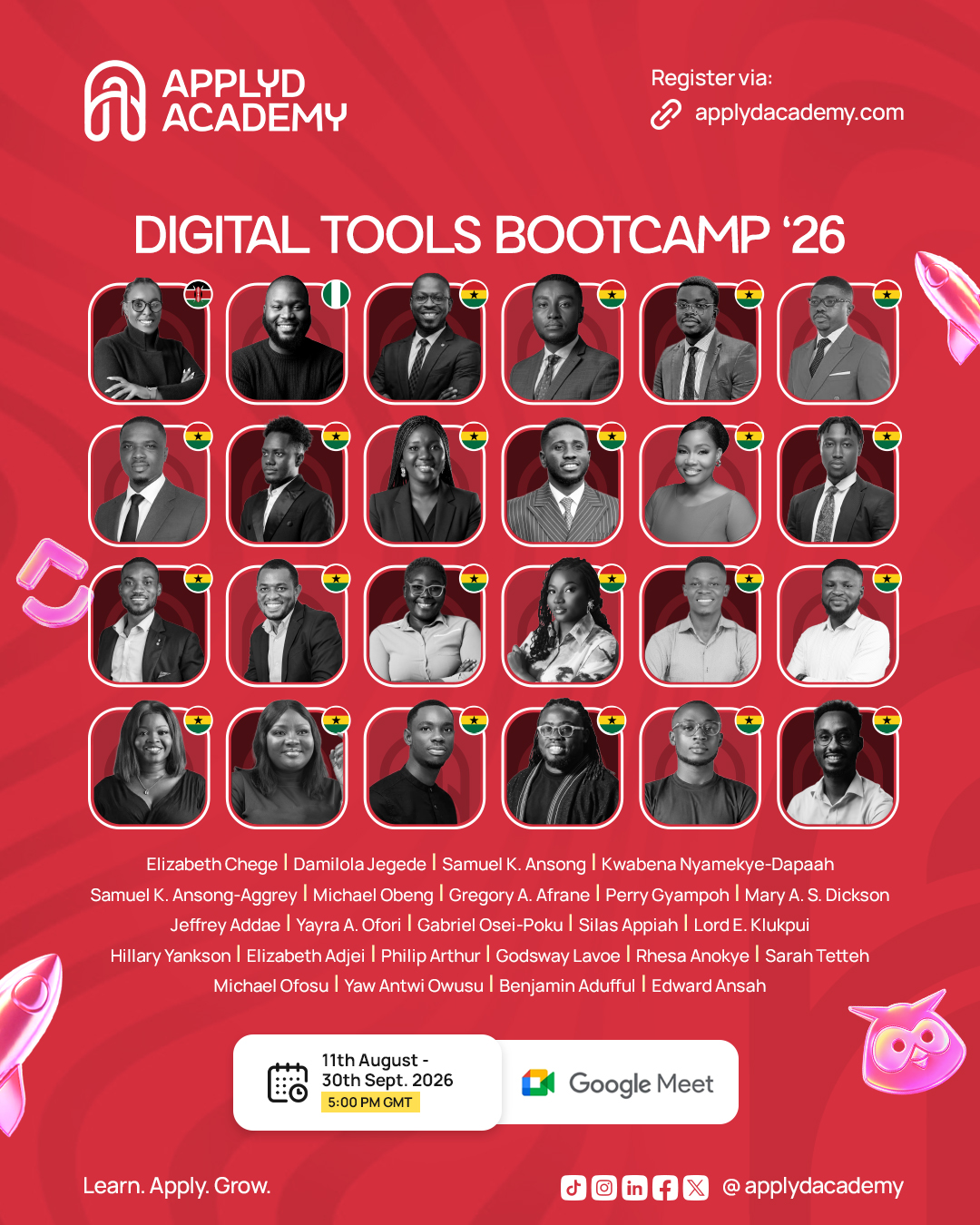
11 August 2026 | 5:00 PM GMT
Social media management involves much more than publishing a post.
For individuals and organizations managing multiple social media activities, having an organized system can make it easier to plan content, monitor engagement, and review performance.
The first Week 1 session focuses on Social Media Management with Hootsuite.
Participants will learn how to:
- Schedule social media posts
- Manage multiple accounts
- Monitor engagement
- Analyze performance metrics
These skills can be particularly useful for digital marketers, social media managers, entrepreneurs, communication professionals, and content teams.
Learning how to organize social media activities can help professionals move from simply posting content to managing their social media workflow more effectively.
2. Graphic Design Made Simple
12 August 2026 | 5:00 PM GMT
Visual communication is an important part of digital communication.
A social media campaign, presentation, business announcement, promotional message, or online campaign may require visual content to communicate the message effectively.
The second session, Graphic Design Made Simple, focuses on practical design skills.
Participants will learn how to:
- Design social media graphics
- Create presentations
- Use templates effectively
- Build brand consistency
The goal is to help learners become more comfortable creating visual content for different digital purposes.
For entrepreneurs and professionals who regularly need graphics for their businesses or personal brands, these skills can become a useful addition to their digital toolkit.
3. Google Slides Masterclass
14 August 2026 | 5:00 PM GMT
Presentations are used across education, business, marketing, training, and professional communication.
Whether you are preparing a school presentation, business proposal, training session, or workplace presentation, knowing how to create professional slides can help you communicate your ideas more clearly.
The Google Slides Masterclass is focused on creating professional presentations for work, school, and business.
This makes the session relevant to a wide range of learners, including:
- Students
- Teachers and educators
- Entrepreneurs
- Business professionals
- Trainers
- Job seekers
- Marketing professionals
Participants will explore how to use Google Slides to create presentations that are suitable for different professional and academic situations.
4. ChatGPT Essentials: Boost Productivity with AI
15 August 2026 | 5:00 PM GMT
Artificial intelligence has become one of the most talked-about technologies in the modern workplace.
However, knowing that AI exists is different from knowing how to use it effectively.
The ChatGPT Essentials: Boost Productivity with AI session introduces participants to practical ways of working with ChatGPT.
The session will cover:
- Writing effective prompts
- Generating content faster
- Automating repetitive tasks
- Using AI for research and brainstorming
These are practical applications that can help learners understand how AI can support everyday tasks.
For professionals, entrepreneurs, students, content creators, marketers, and other digital workers, understanding how to communicate effectively with AI can become an important productivity skill.
The focus is not simply on using ChatGPT, but on understanding how to get better results from the tool.
5. Live Streaming Like a Pro with StreamYard
16 August 2026 | 5:00 PM GMT
Livestreaming has become an increasingly useful way to communicate with audiences online.
Businesses can use livestreams to engage customers. Educators can use them to teach. Organizations can host online events, while creators can use live broadcasts to communicate with their communities.
The Live Streaming Like a Pro with StreamYard session focuses on the practical skills required to organize and manage live broadcasts.
Participants will learn how to:
- Set up live broadcasts
- Brand livestreams professionally
- Manage guests and audiences
- Stream to multiple platforms
These skills can help learners become more confident when planning and managing online live sessions.
6. Google Docs Masterclass: Create, Collaborate and Share Documents
19 August 2026 | 5:00 PM GMT
Collaboration is a major part of modern work.
Teams may need to work on the same document, provide feedback, make edits, and share information without being in the same physical location.
The Google Docs Masterclass focuses on creating, collaborating on, and sharing professional documents.
Participants will learn how to:
- Format professional documents
- Collaborate in real time
- Use comments and suggestions
- Manage document permissions
These capabilities are relevant to students, professionals, business owners, project teams, educators, and anyone who works with digital documents.
The session can help learners understand how collaborative document tools can support more organized digital workflows.
7. Advanced ClickUp: Automations, Dashboards & Team Productivity
21 August 2026 | 5:00 PM GMT
Managing projects effectively requires organization.
Teams need to know what tasks need to be completed, who is responsible for them, what stage a project has reached, and where improvements may be required.
The final Week 1 session introduces learners to Advanced ClickUp, with a focus on automations, dashboards, and team productivity.
Participants will learn how to:
- Build productivity dashboards
- Create automations
- Track project performance
- Improve team collaboration
These skills can help learners understand how digital project management systems can be used to organize work and improve collaboration.
The session is especially relevant to professionals working in project management, marketing, operations, administration, business, and team-based environments.
Why ApplyD Academy’s Practical Approach Matters
One of the most important features of the Week 1 programme is its learning approach.
The sessions are structured around 80% practical learning and 20% theory.
That distinction matters.
Learning about a digital tool theoretically is different from actually using it.
Practical training gives learners an opportunity to explore the tools and understand how they can be applied to real tasks.
Instead of simply asking:
“What is this tool?”
learners can begin thinking:
“How can I use this tool to solve a real problem?”
That shift from knowledge to application is an important part of developing practical digital skills.
Who Should Join This Digital Skills Training?
The Week 1 programme can be useful to anyone who wants to strengthen their practical digital capabilities.
Students
Students can develop skills in presentations, document collaboration, graphic design, AI, and productivity tools that may support academic and professional work.
Digital Marketers
Digital marketers can explore tools related to social media management, content creation, AI, presentations, and productivity.
Entrepreneurs
Business owners can learn tools that can support social media management, presentations, visual communication, collaboration, and project organization.
Content Creators
Content creators can benefit from graphic design, AI, social media management, and livestreaming skills.
Professionals
Professionals can strengthen their digital workplace skills through tools for collaboration, productivity, presentations, project management, and communication.
Freelancers
Freelancers can build a broader digital toolkit that may support their work with clients and teams.
Seven Tools. Seven Skill Areas. One Week of Learning.
The strength of Week 1 is the combination of different skills.
You are not learning only about social media.
You are not learning only about artificial intelligence.
You are building exposure across several areas of digital work.
Digital SkillWeek 1 SessionSocial Media ManagementHootsuiteGraphic DesignGraphic Design Made SimplePresentation DesignGoogle SlidesArtificial IntelligenceChatGPTLivestreamingStreamYardDocument CollaborationGoogle DocsProject Management & ProductivityClickUp
This combination creates a broader digital foundation for learners who want to improve how they create, communicate, collaborate, and manage work.
Build Your Digital Toolkit with ApplyD Academy
Digital skills are not only about knowing the names of popular tools.
The real value comes from knowing how to apply those tools to your work.
You could use social media management skills to organize content.
You could use graphic design skills to create visual communication materials.
You could use Google Slides to present ideas.
You could use ChatGPT to support research and brainstorming.
You could use StreamYard to manage livestreams.
You could use Google Docs to collaborate with others.
And you could use ClickUp to organize projects and improve team productivity.
That is what makes practical digital skills valuable.
Ready to Learn Practical Digital Skills?
Your digital skills journey can start with the right tools and the right learning environment.
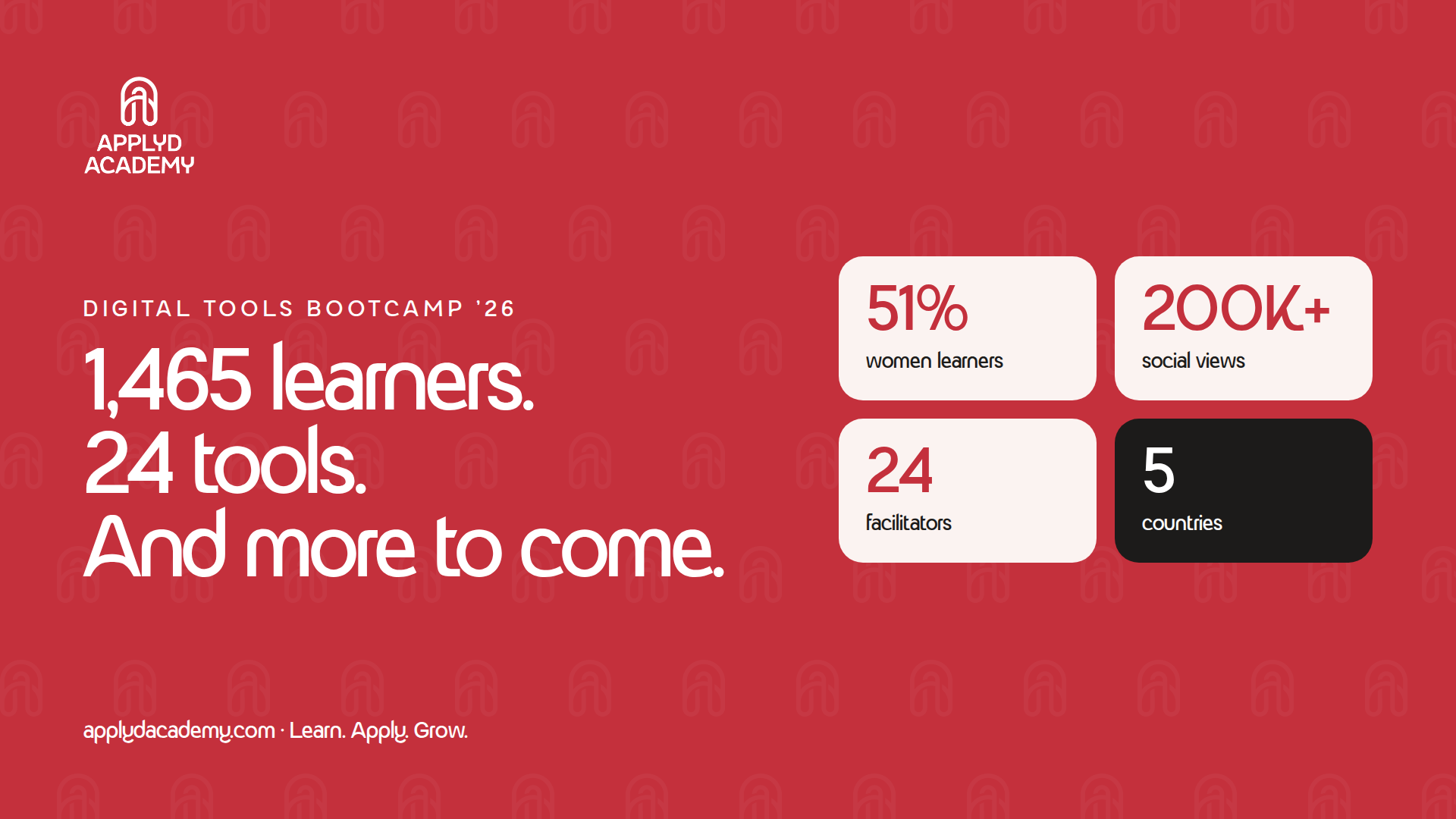
ApplyD Academy’s Week 1 programme gives participants the opportunity to explore seven practical digital skills areas through structured sessions that are 80% practical and 20% theory.
Whether you are a student, professional, entrepreneur, freelancer, content creator, marketer, or simply someone who wants to become more digitally confident, Week 1 offers an opportunity to learn tools that can support your everyday work.
Don’t just learn about digital tools. Learn how to use them.
Join ApplyD Academy and take the next step toward becoming more productive, creative, collaborative, and digitally confident.
Master the Tools. Accelerate Your Future.
Register for the ApplyD Academy Digital Skills Training Today
Learn. Practise. Apply. Grow.
Your future is digital. Start building the skills you need today.